
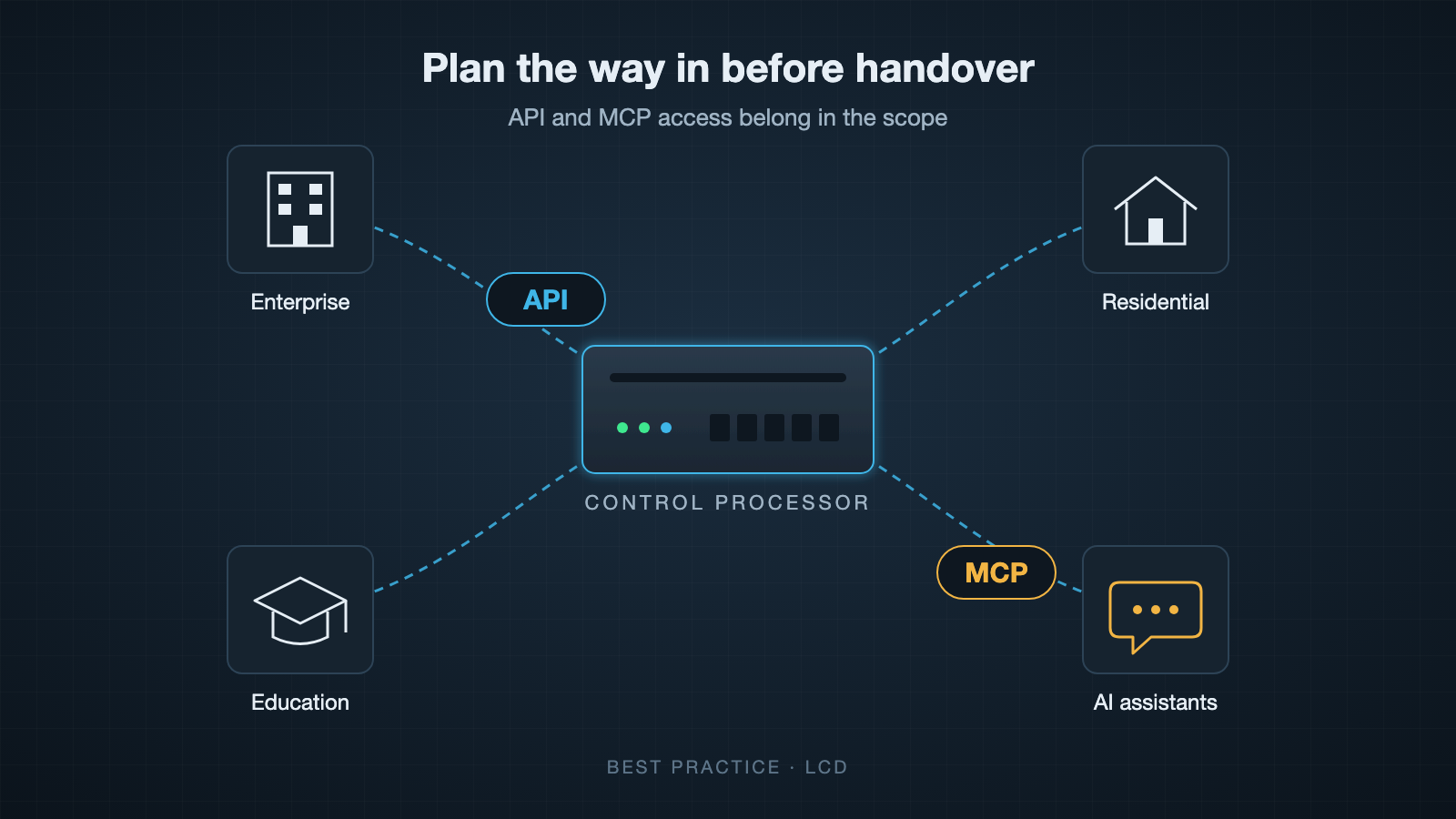
Is API and MCP access in your Crestron scope?

Best Practice series, part 1.

Eighteen months after handover, the client wants something new connected to the control system. In an office it might be the room booking system. In a university it might be the timetabling system, and in a home it might be the alarm or a new voice assistant. The control system already knows most of what they need, and the programming works. Then the quote comes back, and a good part of it is reprogramming.

This happens because most custom Crestron programs are written with one way in. The touch panels and keypads talk to the processor, and nothing else was planned for. When a new system needs to read room status or send a command, the programmer has to go back into the code, work out what to expose, decide how the other system should connect, test it and recommission. That is billable time, and it repeats with every new system that comes along.

What API access means here

An API is a documented way for other software to talk to the control system. On a Crestron installation that could mean asking which rooms are occupied, setting a scene, reading a temperature or receiving an event when something changes. The important word is documented. Another developer, possibly years later and possibly from a different company, should be able to use it without reading the original program.

Plenty of programmers do this well when asked. The trouble is that it often isn’t asked for, so it isn’t priced, and a programmer working to a fixed quote has no reason to add it.

Why MCP is the next question

MCP, the Model Context Protocol, is an open standard that lets AI assistants and agents use outside systems through a defined set of tools. It has quickly become the usual way to connect the main AI assistants to business software. In an office or on a campus, that could be an assistant that books a meeting room and has it set up before people arrive. At home, it could be asking an assistant in plain language to set the house up for the evening.

MCP doesn’t replace an API. It sits on top of one. If the control system already has a good API, adding MCP is a small piece of work. If it doesn’t, the API has to be built first and you are back to reprogramming. Your clients may not be asking for AI access to their systems yet, but on a system expected to run for ten years or more it is sensible to assume they will.

The cost of adding it later

At the scoping stage, an API is a design decision. The programmer structures the code knowing other systems will connect, and the extra cost is usually modest. After handover it becomes a retrofit. Someone has to understand code they may not have written, find the signals worth exposing, add a way in and make sure nothing that already works has broken. If the original programmer has moved on, the new one starts by learning the old program, and you pay for that as well.

There is also a dependence problem. If the only person who can connect a new system is the person who wrote the code, every future change goes through them, at their price and when they are available.

The security side

An API added in a hurry is often a TCP port opened on the processor that accepts commands from anything on the network, with no authentication and no record of who sent what. It works, and it is exactly the kind of thing that turns up later in a security review. An API planned from the start can have authentication and logging designed in, and someone is clearly responsible for it.

Questions to put in your scope

If you write scopes or tenders for Crestron work, these are worth including:

  • Will the system have an API that other software can use, and what will it cover?
  • Will the API be documented, and will that documentation be handed over with the project?
  • How will other systems authenticate, and can their access be limited or revoked?
  • Who owns the code and the API documentation at handover?
  • Is MCP access included, or at least planned so it can be added without reprogramming?

A programmer who raises these before you do is thinking about how the system will be used after they leave site. If yours hasn’t, ask them, and ask for the answers in writing.

I’m Neil Silver at LCD. We have been writing secure APIs into audio visual scopes and projects for over 10 years, and I’m happy to talk through a scope if it would help.
Why I didn’t wait for 2027

The first in a series: On the record — my road to the Cyber Resilience Act.

Every light switch, thermostat and door controller in a modern hotel is now a computer on a network. For most of my career, the security of those computers came down to goodwill. A supplier said it was secure, and you took their word for it.

That is changing. This month 2N, whose intercoms we integrate with, led its newsletter with “Cybersecurity starts with secure design.” When the people who make the doors and the people who make the controls say the same thing, buyers are right to expect more than a promise. They should expect evidence.

What the Cyber Resilience Act asks

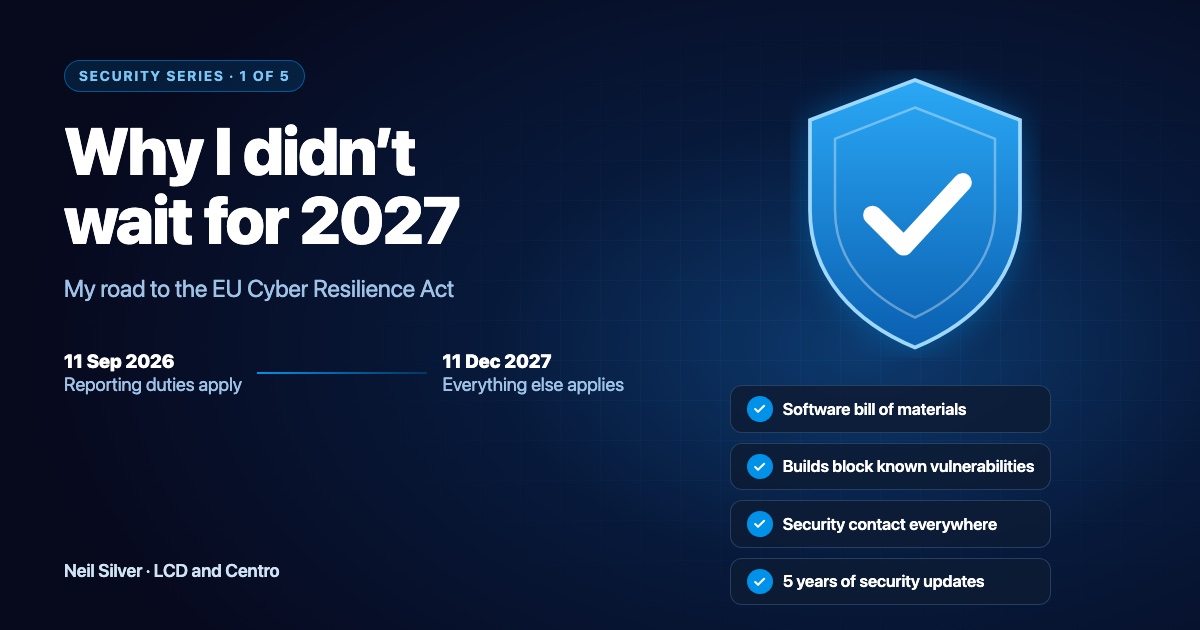
The EU’s Cyber Resilience Act, Regulation (EU) 2024/2847, sets security rules for products with digital elements sold in Europe. That covers hardware and software alike, which means the control systems, drivers and software we build at LCD and Centro. In plain words, it asks manufacturers to:

  • make products secure by default, with no shared default passwords and with data protected;
  • know every component inside the product, and not ship known vulnerabilities;
  • give people a clear way to report security flaws, and handle the reports properly;
  • tell the authorities within 24 hours when a flaw is being actively exploited;
  • keep products patched for a declared support period, normally at least five years.

Two dates matter. The reporting duties have applied since 11 September 2026. Everything else applies from 11 December 2027.

Why I started now

I could have waited for 2027. I chose not to, for three reasons.

Our customers are already asking. Hotel groups send every supplier a security questionnaire. The Act gives those questions a legal backbone, and I’d rather answer them with evidence than with adjectives.

Our installers share the duty. Under the Act, the distributors and importers who sell a product have duties of their own. If we aren’t ready, the integrators who trust us aren’t ready either.

Security added at the end is weak security. The habits the Act asks for work best when they’re part of how a team builds every day, not a project before a deadline.

What I found when I looked

I started the self-assessment in March and have kept it going ever since. I went through the regulation, requirement by requirement, against the Centro Box, the product we install on Crestron processors. For each requirement I wrote down the evidence. Where there was none, I wrote that down too.

The real answer was: not ready yet.

The product itself was in decent shape. It runs on site and works without the cloud. It uses HTTPS by default, and there’s no shared default password. The gaps were mostly in process:

  • We had no full list of the software components inside each release.
  • Our Centro websites and code had no published security contact.
  • We had no written procedure for reporting an exploited flaw to the authorities.
  • We had no formal risk assessment and no declared support period.

Then I followed the trail into our Crestron Home and device drivers. The shared libraries they’re built on had grown far beyond what the drivers actually use, and every extra component is one more thing to track and patch.

What we’ve done since

Every gap became a task for us to progress:

  • Every part of a Centro Box release now has a software bill of materials (SBOM). That covers the engine, the staff app, the guest web app and the Crestron Home driver.
  • Our builds now refuse to ship a component with a known High or Critical vulnerability. The first runs found real issues, including one in the embedded database engine, and we fixed them.
  • There’s a security contact everywhere: [email protected], our disclosure policy, and a security.txt file on each website.
  • We tightened up even more. Stored passwords are encrypted, key files are locked down, and the admin pages send browser security headers.
  • We declared a support period. Every Centro Solution gets security updates for five years from purchase.
  • The driver libraries are slimmer. The core library has shed components our drivers never used, and an old third-party library with a known weakness has gone. There’s more to do, and I’ll show it in the next article.

The same habits apply to the custom software we write for individual clients. Its source is checked automatically for outdated components, credentials live in a password store instead of in scripts, and we attack-test our own work in-house. I’ll come back to that in January.

Where we stand today

We’ve made significant progress, but there’s still work to do. The formal risk assessment is still being written, our written procedure for reporting an exploited flaw is still being finalised, and we still need to complete the Act’s conformity assessment, so I won’t call Centro “compliant”. What I can say is that we’re designing our products to meet the Act, and to go beyond it, and that you can check our progress. That’s the point of this series.

What comes next

Every couple of weeks I’ll take one part in turn:

  1. how we know what’s inside every release;
  2. how the Centro System Manager protects a building from the first minute;
  3. what happens when someone reports a flaw;
  4. what all of this means for installers, and for custom software.

I’ll use dates and specifics, and I’ll say where we’re still working.

One thing you can do today: if you look after IT or security for a hotel group, ask your controls suppliers the question I asked myself: “Show me the evidence.” Our answers are on our security page: centro.network/en/security.

Neil Silver, LCD and Centro

Password Management in AV Projects

Password management is a challenge within an audio-visual (AV) project, just as it is for individual households and businesses. AV integrators use default admin passwords to simplify the hardware installation and credential management. But new infrastructure security laws are on the horizon, requiring AV integrators and installers to be more careful with privileged passwords. 

On January 1, 2020, California implemented legislation through Senate Bill 327 that requires a unique preprogrammed password for each device. The UK is working on similar legislation called The Product Security and Telecommunications Infrastructure (PSTI) Bill that will take effect in 2022. Breaking these laws has significant penalties. So, AV integrators should pay attention. 

Unique Password Challenges for AV Integrators 

The new regulations mean that AV Integrators need to make password change management an integral part of the project planning. Integrators and installers have to set up unique passwords and have a reliable way to manage the individual passwords for subsequent administration of the controller boxes and connected AV devices. 

Generally, an installer is the first person to touch an AV controller. But after the setup, the installer should not have visibility of the newly set password. So, AV integrators need a method to set passwords securely for multiple devices. 

But multiple unique passwords create a scalability problem. When AV integrators connect to the hardware remotely for maintenance, they have to factory reset the units and start with default passwords. It can complicate hardware maintenance and become a bottleneck. 

Our approach for More Efficient Password Management 

At Lighting Control, we set up a complex common password for all devices during the commissioning phase of an AV project. We can work faster without dealing with unique passwords at this stage. Then, at the end of the commissioning process, we use scripting tools to improve the security of the systems and add multiple user accounts. 

But if the scripting tools use plain text configuration files, the control passwords and IP configurations are easily accessible. It can become a potential security risk. So, we found that the best solution is to use PowerShell scripts with Active Directory (AD) accounts. As a result, the passwords are encrypted. It ensures that installers and users can run the scripts without accessing the credentials directly. 

We hope our password management best practices help you with your AV projects. If you are interested in our AV products and AV consultancy services, please feel free to contact us today. 

Neil Silver Crestron CSP

Neil Silver

Lead Developer LCD – Crestron Programmer , CSP

Managing the Development and Custom Programming Teams on a day to day basis and responsible for Product Design and Project Oversight.

Select currency
GBP Pound sterling