Is API and MCP access in your Crestron scope?
Best Practice series, part 1.
Eighteen months after handover, the client wants something new connected to the control system. In an office it might be the room booking system. In a university it might be the timetabling system, and in a home it might be the alarm or a new voice assistant. The control system already knows most of what they need, and the programming works. Then the quote comes back, and a good part of it is reprogramming.
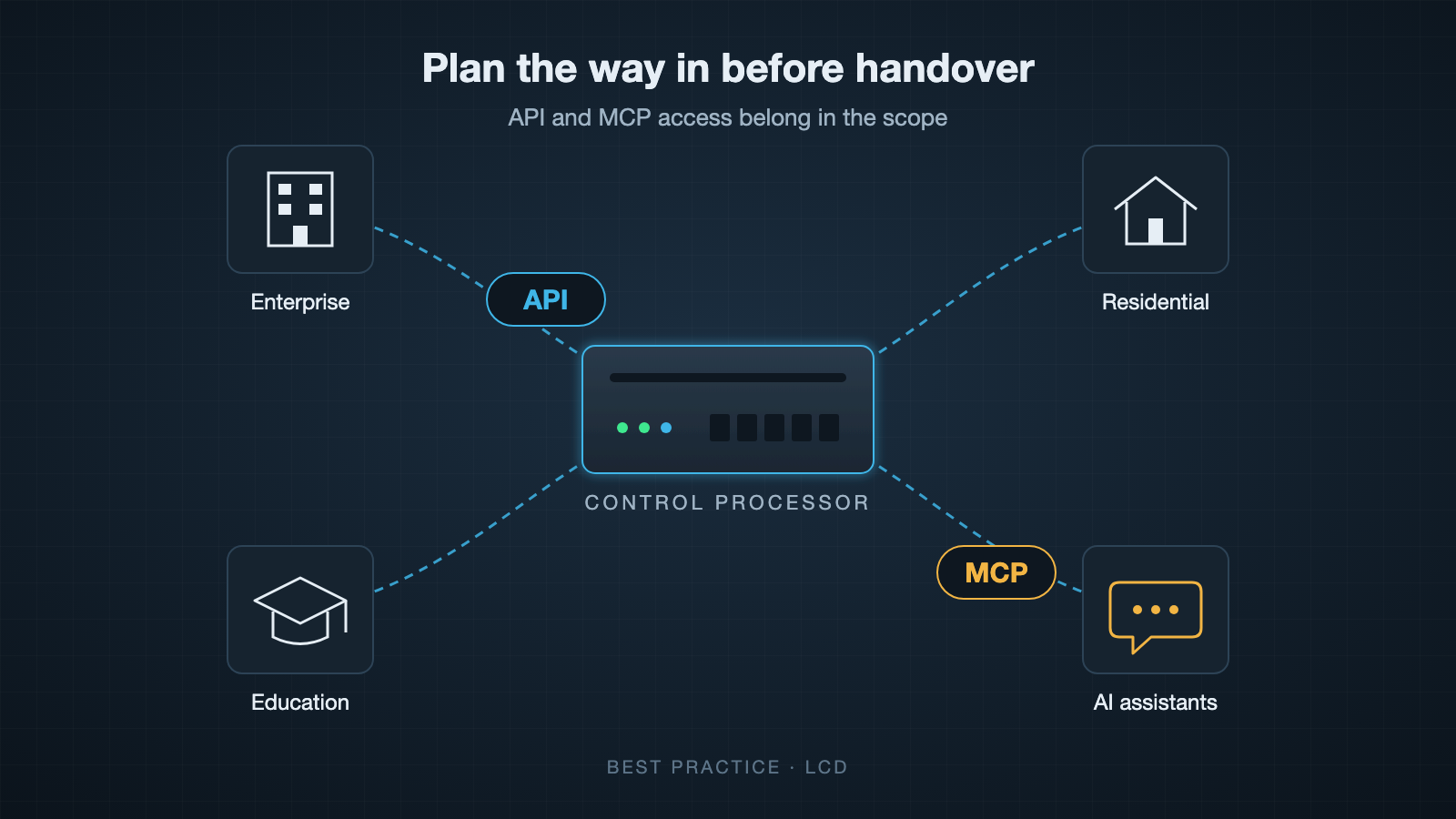
This happens because most custom Crestron programs are written with one way in. The touch panels and keypads talk to the processor, and nothing else was planned for. When a new system needs to read room status or send a command, the programmer has to go back into the code, work out what to expose, decide how the other system should connect, test it and recommission. That is billable time, and it repeats with every new system that comes along.
What API access means here
An API is a documented way for other software to talk to the control system. On a Crestron installation that could mean asking which rooms are occupied, setting a scene, reading a temperature or receiving an event when something changes. The important word is documented. Another developer, possibly years later and possibly from a different company, should be able to use it without reading the original program.
Plenty of programmers do this well when asked. The trouble is that it often isn’t asked for, so it isn’t priced, and a programmer working to a fixed quote has no reason to add it.
Why MCP is the next question
MCP, the Model Context Protocol, is an open standard that lets AI assistants and agents use outside systems through a defined set of tools. It has quickly become the usual way to connect the main AI assistants to business software. In an office or on a campus, that could be an assistant that books a meeting room and has it set up before people arrive. At home, it could be asking an assistant in plain language to set the house up for the evening.
MCP doesn’t replace an API. It sits on top of one. If the control system already has a good API, adding MCP is a small piece of work. If it doesn’t, the API has to be built first and you are back to reprogramming. Your clients may not be asking for AI access to their systems yet, but on a system expected to run for ten years or more it is sensible to assume they will.
The cost of adding it later
At the scoping stage, an API is a design decision. The programmer structures the code knowing other systems will connect, and the extra cost is usually modest. After handover it becomes a retrofit. Someone has to understand code they may not have written, find the signals worth exposing, add a way in and make sure nothing that already works has broken. If the original programmer has moved on, the new one starts by learning the old program, and you pay for that as well.
There is also a dependence problem. If the only person who can connect a new system is the person who wrote the code, every future change goes through them, at their price and when they are available.
The security side
An API added in a hurry is often a TCP port opened on the processor that accepts commands from anything on the network, with no authentication and no record of who sent what. It works, and it is exactly the kind of thing that turns up later in a security review. An API planned from the start can have authentication and logging designed in, and someone is clearly responsible for it.
Questions to put in your scope
If you write scopes or tenders for Crestron work, these are worth including:
- Will the system have an API that other software can use, and what will it cover?
- Will the API be documented, and will that documentation be handed over with the project?
- How will other systems authenticate, and can their access be limited or revoked?
- Who owns the code and the API documentation at handover?
- Is MCP access included, or at least planned so it can be added without reprogramming?
A programmer who raises these before you do is thinking about how the system will be used after they leave site. If yours hasn’t, ask them, and ask for the answers in writing.
I’m Neil Silver at LCD. We have been writing secure APIs into audio visual scopes and projects for over 10 years, and I’m happy to talk through a scope if it would help.