
LCD launches LCD Dashboard: the whole Crestron Home house at a glance

A live dashboard, alerts and energy estimates for Crestron Home, running on the system homeowners already have.

LCD today released LCD Dashboard for Crestron Home, a driver that gives every Crestron Home house a live overview in any browser on the home network. Phones, tablets and wall-mounted displays show every room at once, flag what needs attention, and estimate what the lighting costs to run.

Crestron Home is built for control: tap a room, dim a light, run a scene. LCD Dashboard answers a different set of questions. Is anything left on? Is a door open? Is the house locked up? It puts the answers on one screen, updated every few seconds.

Every room on one screen

Each room shows its lights and levels, shade positions, doors and locks, occupancy, temperature and what’s playing. A summary bar covers the whole house. Homeowners can pick from four styles, including Ambient, a dark, calm design made for a wall tablet. Wall tablet mode runs the dashboard full screen, keeps the screen on and dims at night.

Alerts that matter

LCD Dashboard watches for a door left open, a device gone offline, a low battery, a security alarm and more. Each alert says what, where and for how long, and can be snoozed or dismissed. Each kind of alert is also a Crestron Home event, so an installer can turn on the hall lights when the back door is left open or send a notification when a sensor battery runs low.

Energy and processor health

The Energy page estimates the lighting’s energy use and cost by room and by load, and shows lights left on in empty rooms or overnight. For installers, a System page tracks the processor’s load, memory, storage and errors over 24 hours and 7 days, with a one-click troubleshooter.

Built for the handover

At handover the installer gives the homeowner a QR code or a printed card. They scan it on the home Wi-Fi and the dashboard opens in their phone’s browser, with no app to install and no account to create. Every screen can carry the installer’s logo, company name and support details.

LCD Dashboard runs on the Crestron Home processor itself. It needs no extra hardware and no cloud service, and the house’s information stays in the home.

“LCD Dashboard is a window to your Crestron Home system and your energy usage, built in your style,” said Neil Silver of LCD. “Homeowners see the whole house on one screen, and their installer’s name is right there when they need help.”

Availability

LCD Dashboard is available now for 4-series Crestron Home processors. A licence costs £200 per processor and includes updates for one year from purchase. A 30-day free trial is available from the LCD Dashboard store page. Downloads and release notes are on the LCD Dashboard driver page, and full set-up guides are on the LCD docs site.

Crestron Home Dashboard: the Home Assistant Look Without a Second System

The dashboard Crestron Home owners keep asking for

Spend any time in smart home forums and you’ll see the screenshots. A wall tablet in the kitchen showing every room, the temperature upstairs, which doors are open and what the house used in energy today. Most of them are Home Assistant dashboards, and they look great.

Crestron Home owners see those screenshots too. Then they ask their installer a reasonable question: can we have that?

Until now the answer has been “sort of, with a lot of work”. LCD Dashboard changes that.

What Crestron Home does well

Crestron Home is built for control. It’s reliable, it’s fast, and the app, keypads and touch screens make it easy to dim a light, close the shades or run a scene. Installers trust it because it behaves the same way every day.

What it doesn’t offer is a single screen that answers the questions homeowners ask most:

  • Is anything left on?
  • Is a door or window open?
  • Is the house locked up?
  • What’s using the energy?

In the Crestron Home app you find those answers room by room. That’s fine for control. It’s slow when you want to check the whole house on your way to bed.

Why people reach for Home Assistant

Home Assistant is a powerful, open home-automation platform, and its dashboards are a big part of its appeal. You can build almost any layout from cards, track history, chart energy use and put the whole thing on a wall tablet.

Adding it to a Crestron Home house comes with costs that are easy to miss:

  • A second system to run. Home Assistant needs its own computer or appliance, its own updates and its own backups.
  • An integration to keep working. There is no official Crestron Home integration. Community integrations exist, and they vary in what they support and how well they keep up with Crestron Home updates.
  • Set-up time. Every room, device and card has to be configured, and kept in step whenever the Crestron Home configuration changes.
  • Support. When something stops working, who does the homeowner call? The installer who supports Crestron rarely wants to support a second platform too.

For an enthusiast who enjoys tinkering, that’s part of the fun. For a homeowner who paid a professional for a Crestron system, it’s a lot to take on for a dashboard.

Where LCD Dashboard fits

LCD Dashboard gives you the whole-house view on the Crestron Home system itself. It’s a Crestron Home driver, so it installs like any other driver and runs on the processor. There’s no extra computer, no cloud account and no app to install.

Open it in any browser on the home network and you get:

  • Every room at a glance. Lights and levels, shades, doors and locks, occupancy, temperature and what’s playing.
  • A summary of the whole house. Lights on, doors open, locks, devices offline and the security system.
  • Alerts. A door left open, a device offline, a low battery or a security alarm. Each alert says what, where and for how long. Each kind of alert is also a Crestron Home event, so it can trigger a sequence.
  • Energy estimates. Lighting energy and cost by room and by load, and lights left on in empty rooms.
  • Your own dashboards. Build pages from cards, with separate layouts for phone, tablet and desktop.
  • Wall tablet mode. Full screen, screen kept on, dimmed at night, in one of four styles.
LCD Dashboard running full screen on a wall tablet

Because it reads the house directly from Crestron Home, there’s nothing to keep in step. Add a room or a light in Crestron Home and it appears on the dashboard.

Estimated lighting energy and cost by room and by load

Side by side

LCD Dashboard Home Assistant alongside Crestron Home
Extra hardware None A computer or appliance to run Home Assistant
Set-up Install a Crestron Home driver Install HA, add a community integration, build the dashboards
Whole-house view Ready from the start Once configured
Alerts for doors, offline devices, low batteries Built in, thresholds set in the browser Build your own automations
Alerts in Crestron Home sequences Yes Depends on the integration
Lighting energy estimates Yes Yes, once configured
Processor health and history Yes No
Installer branding Logo, name and support details No
Control View only; control stays in the Crestron Home app Depends on the integration
Who supports it The Crestron installer and LCD Whoever set it up
Cost £200 per processor with a year of updates, 30-day trial Free software, plus hardware and set-up time

Home Assistant can do far more than show a dashboard, and for some homes it’s the right choice. If what you want is the dashboard, LCD Dashboard gets you there with much less to look after.

Good for installers too

For integrators, LCD Dashboard is a simple add-on that improves the handover. Give the homeowner a QR code or a printed card. They scan it on the home Wi-Fi and the dashboard opens on their phone, with your logo, company name and support number on it.

The homeowner view on a phone, with the installer's branding
The homeowner view on a phone, with the installer’s branding

The installer view adds a System page with processor load, memory, storage and errors over 24 hours and 7 days, plus a troubleshooter. Alerts for a processor restart or climbing errors help you spot a problem before the client calls.

Things to know

  • LCD Dashboard is for viewing. Homeowners keep using the Crestron Home app, keypads and touch screens for control.
  • It works on the home network only. There is no remote access.
  • Devices added by some third-party drivers show in part or not at all. Check on site before promising a device.
  • Energy figures are estimates based on dimmer levels and the watts you enter.
  • It needs a 4-series Crestron Home processor.

Try it

LCD Dashboard costs £200 per processor, including updates for one year from purchase, and comes with a 30-day free trial. Start a trial from the LCD Dashboard store page, download the driver from the LCD Dashboard driver page, and follow the set-up guide on the LCD docs site.

If your clients have been asking for a Home Assistant-style dashboard, this is the one that runs on the Crestron system they already own.

Save energy with Lighting control systems
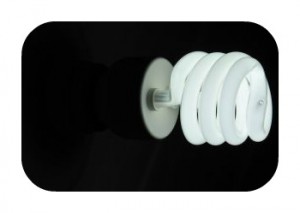
Energy saving light bulbs have taken over the world in the last couple of years so much so that later this year (2009) the major retailers in the UK plan to remove filament light bulbs from there shelves.

However in most projects with lighting controls low energy light bulbs are not to be found. In fact most systems do not support them.

Dimmable energy saving light bulbs are still in the early days of development and are not yet as cost effective as their non-dimmable predecessors.

Lighting control systems can however give significant energy savings.

  • Control empowers correct usage of multiple fittings. With more circuits to control only the lighting that you need for a task need be turned on saving 100% on lighting that is not required.
  • Off during non-activity: Using timed off’s and proximity sensors in a lighting control system we can ensures that lights are not left on when the need not be.
  • Daylight harvesting: Daylight harvesting allows lights to be automatically dimmed to a level dependant on the amount of natural light reaching the target area. This saves in energy usage as the quantity of additional lighting used is limited to what is required exactly.
  • Dimming at full power: Not running lamps at 100% can result in massive extension of lamp life.

Contact us to discuss how you can implement energy saving in your next project.

Select currency
USD United States (US) dollar